See OntarioLandlord in Action
Explore the full platform with sample data. No credit card required, no signup needed—just click and see how OntarioLandlord can simplify your landlord compliance workflow.
Launch Live DemoWatch a Quick Walkthrough
See the key features in action in under 2 minutes.
Product Walkthrough (1:45)
Prefer to explore on your own? Jump right into the demo.
Skip to Live DemoWhat You'll See in the Demo
Walk through the complete landlord workflow from property setup to LTB hearing preparation.
Add a Property & Tenant
See how quickly you can set up your rental property and tenant information in the system.
Upload OSL Document
Upload an Ontario Standard Lease and watch the system automatically extract all lease terms and data.
Review Compliance Status
See how the system validates lease terms and recommends required actions for LTB compliance.
Generate an LTB Notice
Watch the system auto-calculate effective dates and validate your N1, N4, or other notice types.
Track Rent & Arrears
Explore the rent ledger as payments are logged and arrears are calculated automatically.
Connect Bank (Preview)
See how Plaid integration automatically imports and matches rent payments from your bank.
Export PDF Evidence
Generate a professional PDF evidence bundle ready for your LTB hearing in one click.
Full Features Available in Demo
Try Lease Compliance Checking
Upload an Ontario Standard Lease and watch the system validate all mandatory clauses automatically.
Lease Compliance Checker
Available in demo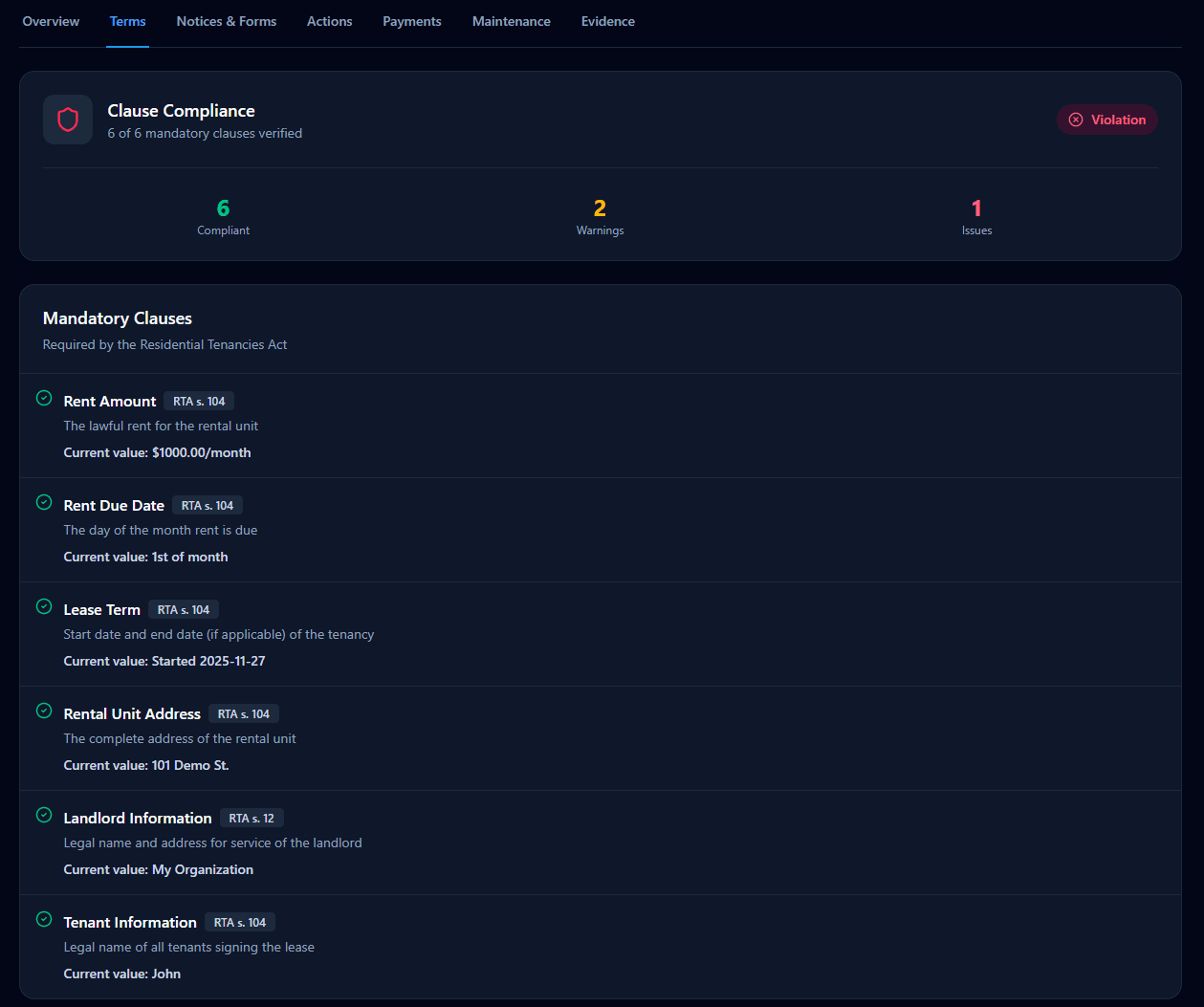
Automatic validation of all 6 mandatory RTA clauses with discrepancy detection
Ready to Try It Yourself?
The demo uses sample data so you can explore freely. When you're ready, create a free account to use with your actual properties.